Notify Me sign-ups are stored in Klaviyo. Use Klaviyo’s reporting to see how many shoppers have signed up per variant, and to confirm individual customers are on the list.

Monitor sign-ups per product

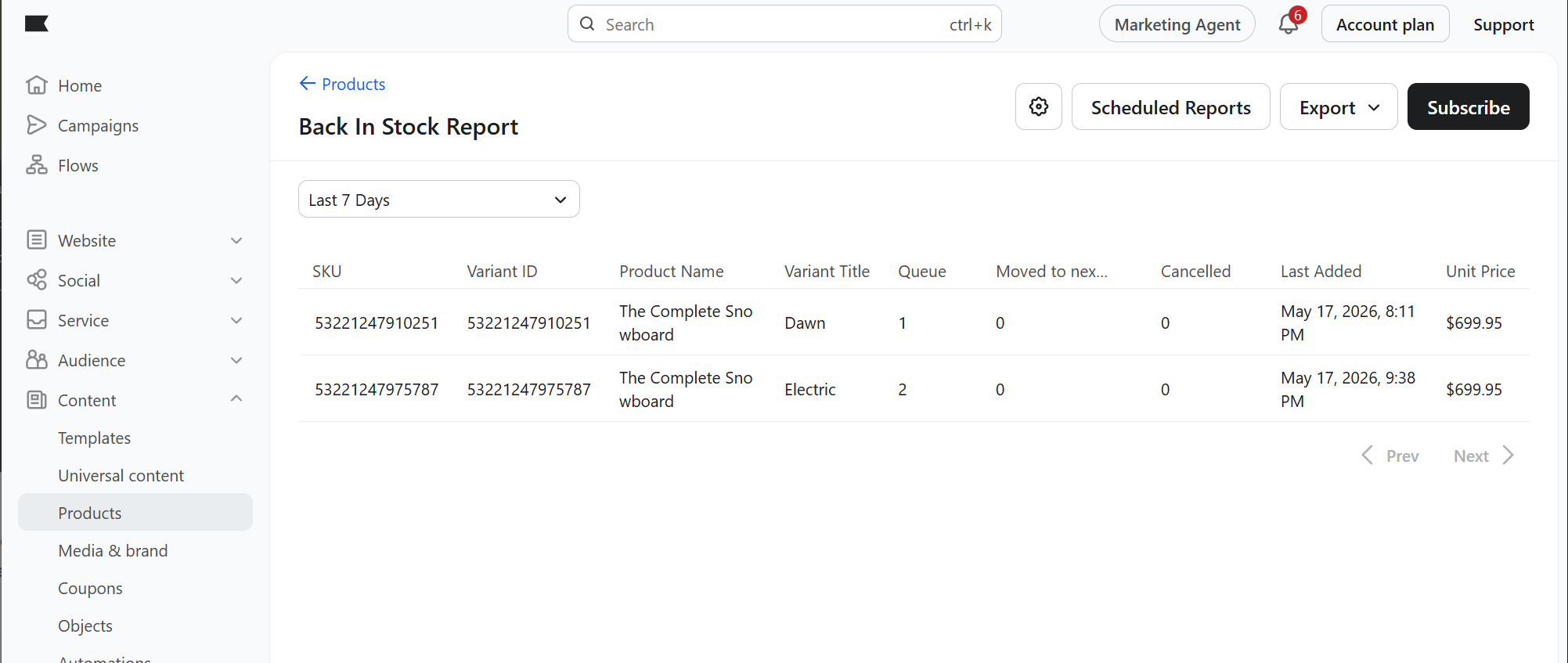
  1. In Klaviyo, go to Content → Products.
  2. In the top right, click Back in Stock Reports.
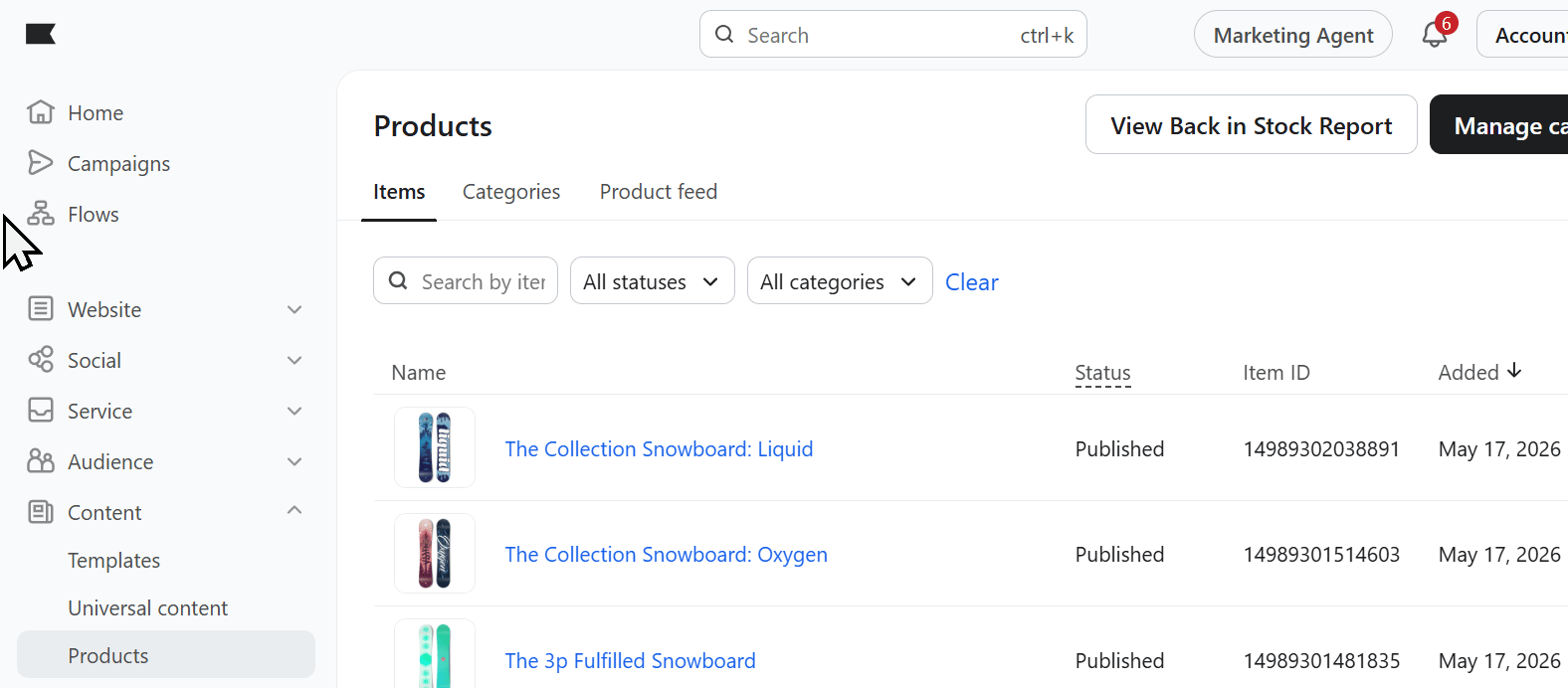
Klaviyo Notify Me Back In Stock Report
Each variant shows the number of people in the queue and being sent the flow.
Klaviyo Notify Me Signups
To get regular updates, click Subscribe for a rollup report on all Notify Me sign-ups. For a recurring report, click Schedule Reports in the top right.

Confirm individual customer sign-ups

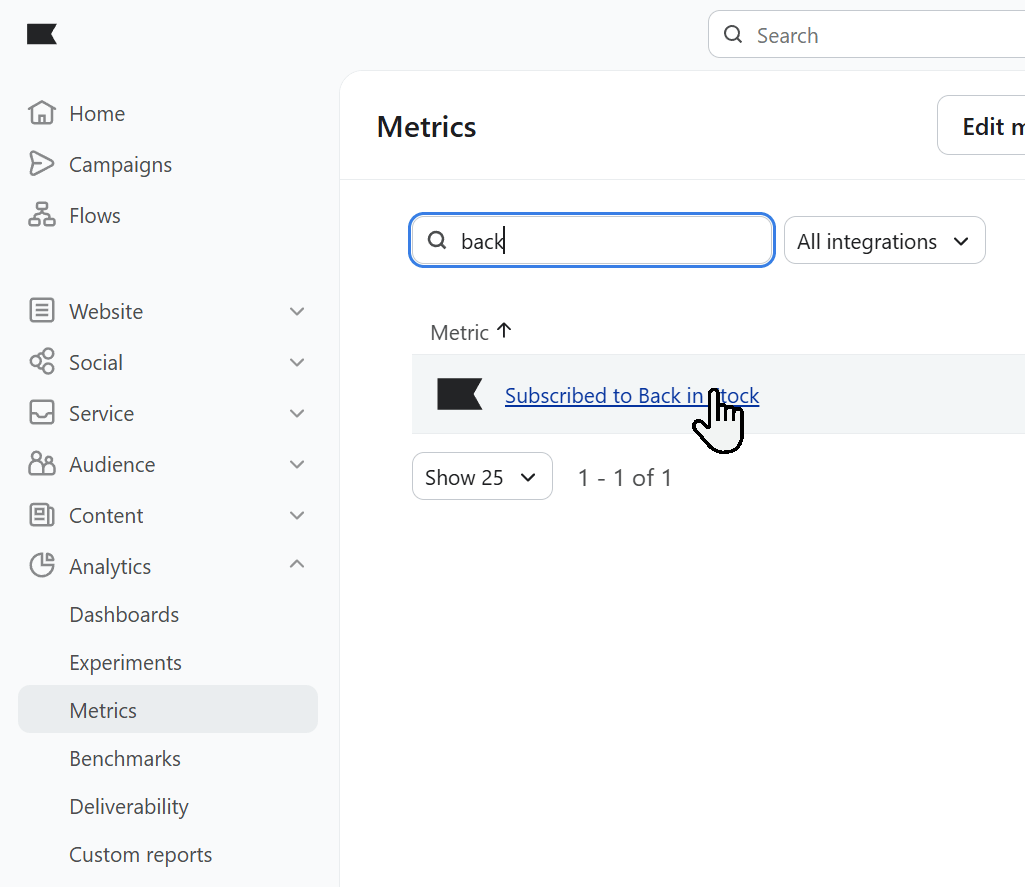
  1. In Klaviyo, go to Metrics and search for Back.
  2. Click Subscribed to Back in stock.
Klaviyo Notify Me Metrics
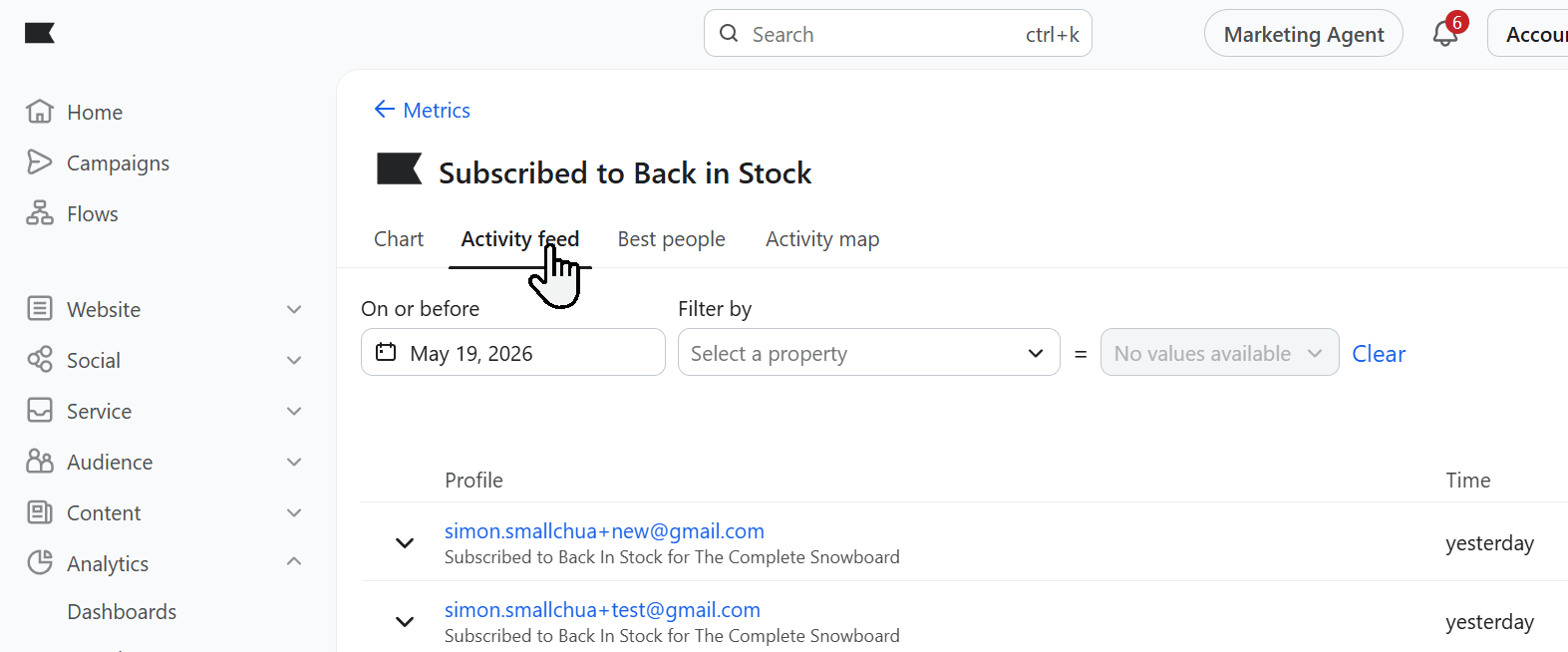
You’ll see data about your Back in Stock sign-ups. Click Activity Feed to see who has recently signed up.
Klaviyo Notify Me Metrics Activity
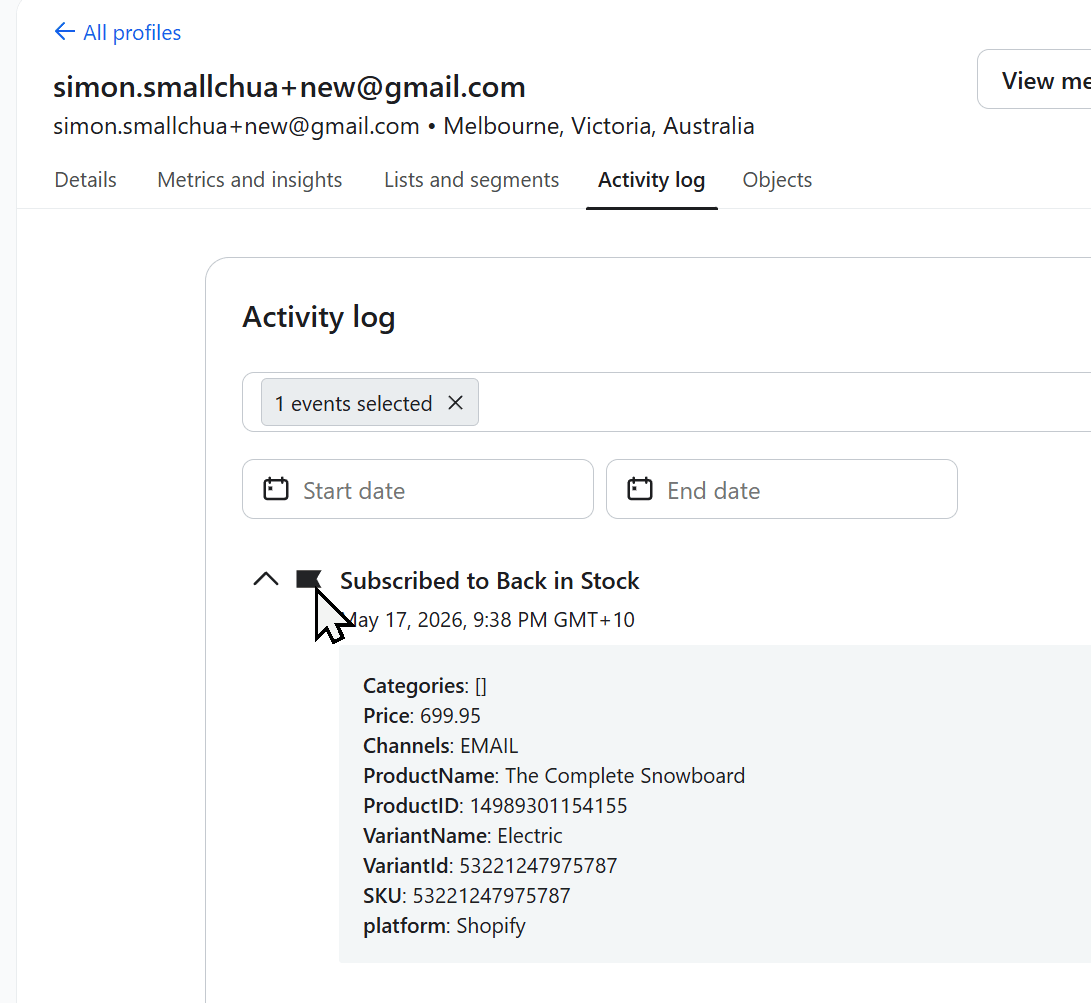
In that feed, or on the customer’s profile, expand the event to see details about their sign-up.
Klaviyo Notify Me Metrics Activity Detail