
What it tracks
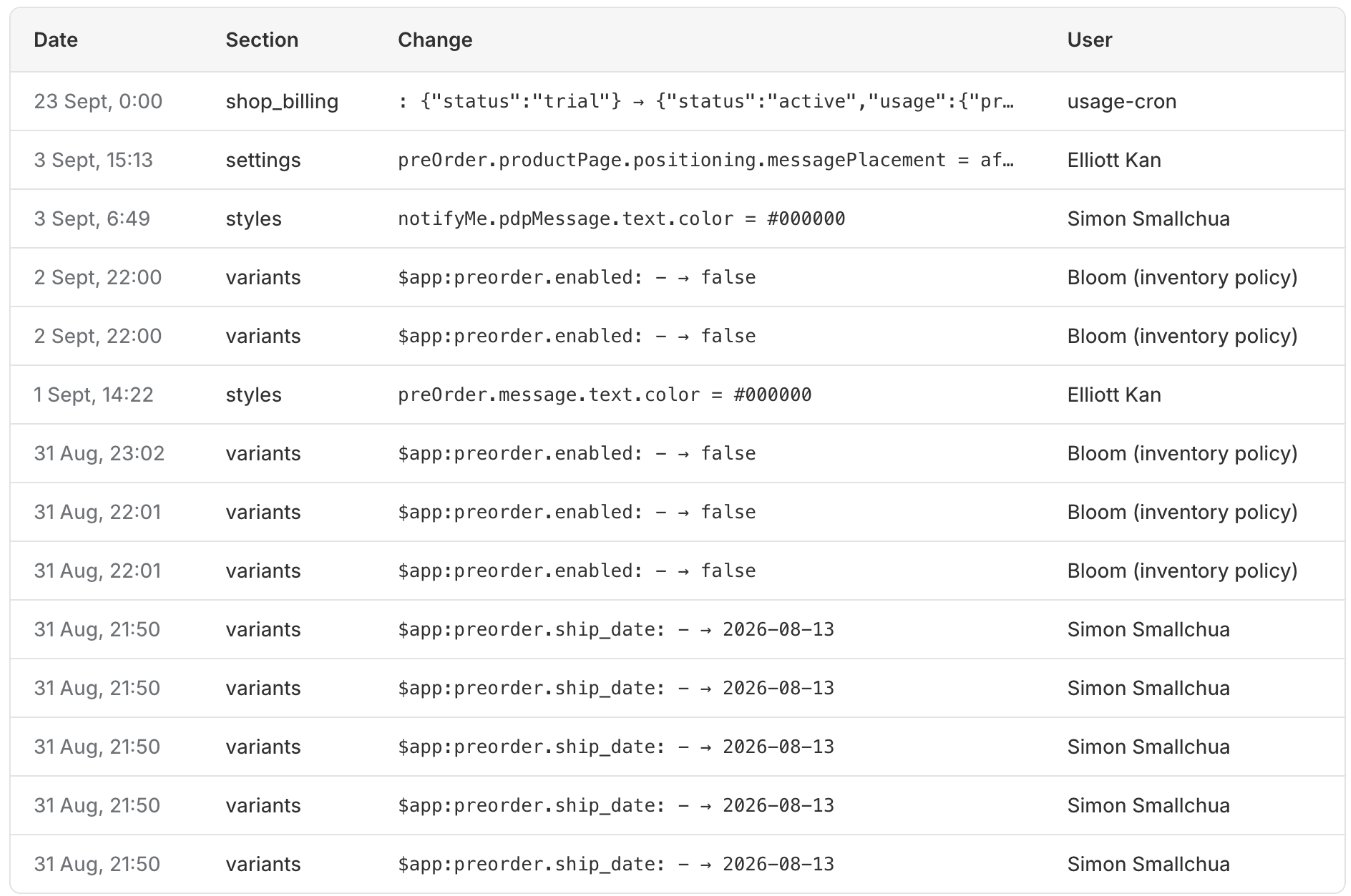
Every save from inside Bloom writes a row, including:- Design - colours, fonts, sizes, borders.
- Content - default messages, button labels, headings.
- Settings - tracking, layout, Klaviyo integration, opt-in behaviour.
- Products - per-variant pre-order and Notify Me edits (oversell limit, messages, enabled flags, scheduled dates).
What you see
Four columns:- Date - when the change was saved.
- Section - which table the change touched (e.g.
bloom_styles,bloom_content,variant_metafields). - Change - the setting key and the value diff, e.g.
preOrder.button.background: #000000 → #1a1a1a. - User - the Shopify staff account ID that saved it (e.g.
User 106068246777).
Limits
- Shows the last 100 entries, newest first.
- Storefront events (sign-ups, pre-order orders, tracking) aren’t in here - those live in Results.
- The log is per shop, not per app embed - changes from any staff account on the store appear together.