> ## Documentation Index
> Fetch the complete documentation index at: https://help.goodnative.co/llms.txt
> Use this file to discover all available pages before exploring further.
# Customer cancellation
> Bloom lets customers cancel pre-order purchases while the order is 'on hold'
Until you start preparing the order, customers can cancel themselves from their order status page - cutting down on change-of-mind support emails.
## The customer's flow
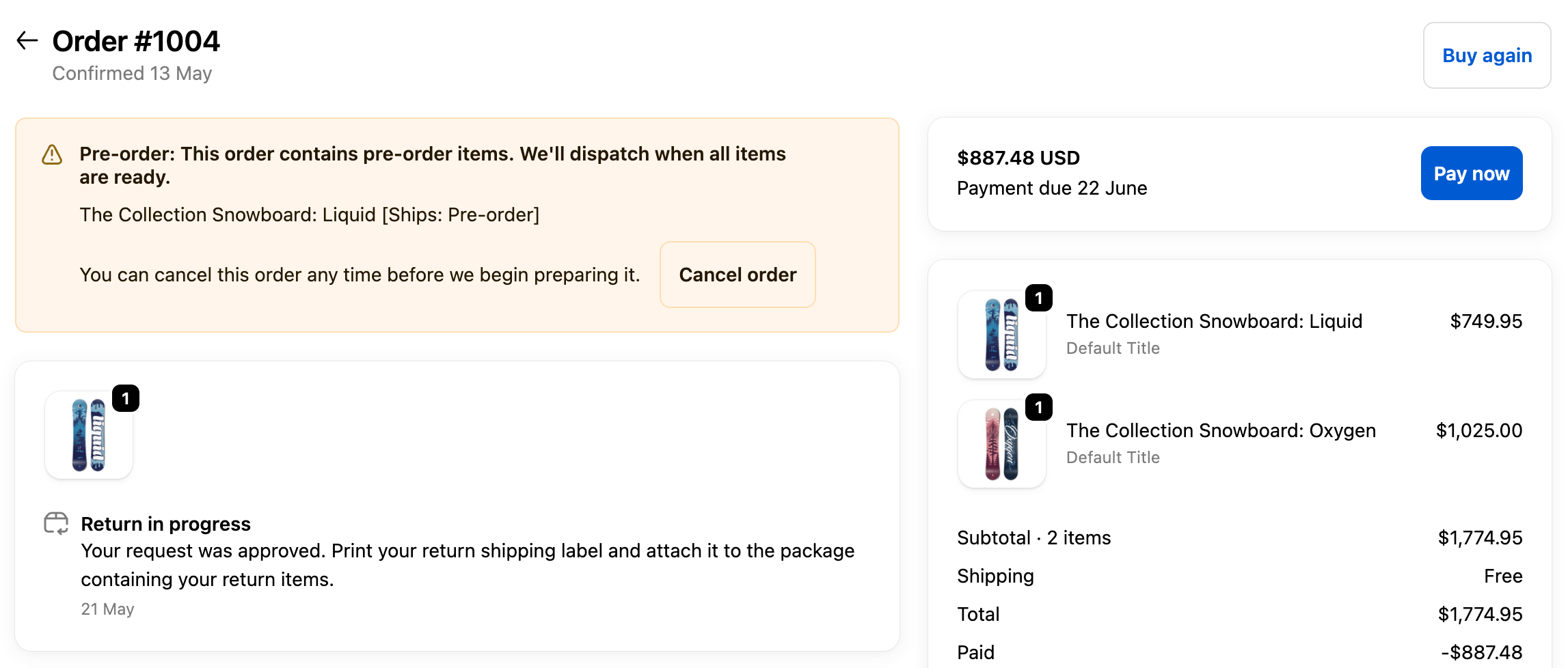
* Sees a notice on the order status page after purchase
* Clicks **Cancel order** in the Bloom pre-order block
* Confirms in a *"Cancel this pre-order?"* step
* Order is cancelled and refunded through Shopify automatically
 ## Where the message appears
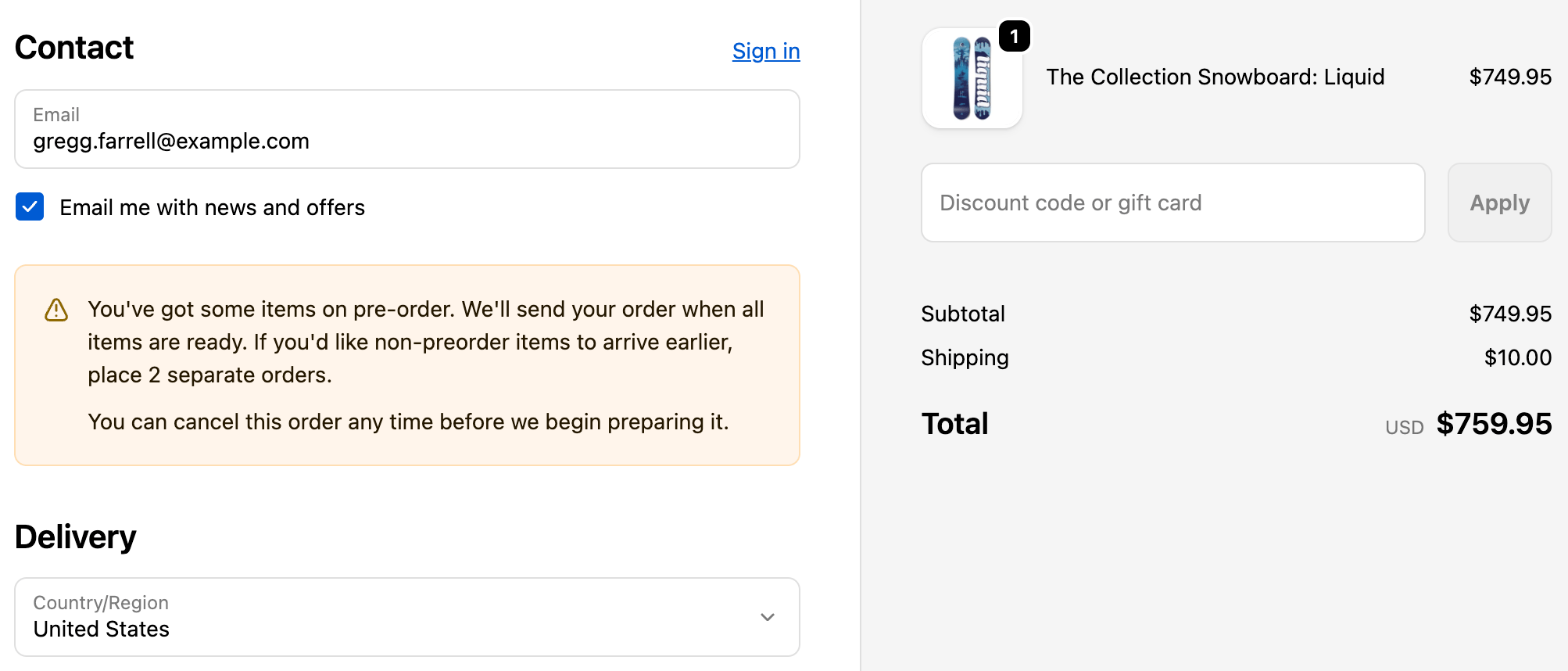
The line *"You can cancel this order any time before we begin preparing it."* shows in three places. The **Cancel order** button itself only lives on the order status page:
* **Checkout** (Shopify Plus) - the line shows in the pre-order banner.
* **Order confirmation email** - the line shows alongside the pre-order notice, with a link to the order status page where the customer cancels.
* **Order status page** - shows the line and the **Cancel order** button.
## Where the message appears
The line *"You can cancel this order any time before we begin preparing it."* shows in three places. The **Cancel order** button itself only lives on the order status page:
* **Checkout** (Shopify Plus) - the line shows in the pre-order banner.
* **Order confirmation email** - the line shows alongside the pre-order notice, with a link to the order status page where the customer cancels.
* **Order status page** - shows the line and the **Cancel order** button.
 ## When it's available
Customers can cancel until you mark the order **In progress** or fulfilment begins. After that, the option disappears and they'll need to contact you.
Customers must be **logged in** to their store account to cancel.
Cancellation only works when your store is **live and has no password protection**.
## Turn it off (on request)
Customer cancellation is on by default. To disable it, contact [support@goodnative.co](mailto:support@goodnative.co) and we'll turn it off for you on request.
## Related
* [Pre-order overview](/bloom/pre-order/overview)
* [Updating pre-order info on existing orders](/bloom/pre-order/updates)
* [Pre-order order confirmation email](/bloom/pre-order/emails)
## When it's available
Customers can cancel until you mark the order **In progress** or fulfilment begins. After that, the option disappears and they'll need to contact you.
Customers must be **logged in** to their store account to cancel.
Cancellation only works when your store is **live and has no password protection**.
## Turn it off (on request)
Customer cancellation is on by default. To disable it, contact [support@goodnative.co](mailto:support@goodnative.co) and we'll turn it off for you on request.
## Related
* [Pre-order overview](/bloom/pre-order/overview)
* [Updating pre-order info on existing orders](/bloom/pre-order/updates)
* [Pre-order order confirmation email](/bloom/pre-order/emails)