> ## Documentation Index
> Fetch the complete documentation index at: https://help.goodnative.co/llms.txt
> Use this file to discover all available pages before exploring further.
# Overview
> Variant-level pre-orders and Notify Me back-in-stock sign-up.
Bloom is a Shopify app with two tools that turn an out-of-stock variant into captured revenue instead of a lost sale. Both work at the **variant level**, integrate with **Add to cart, Cart & Checkout**, to deliver a great user experience and maximise conversions.
 ## What Bloom does
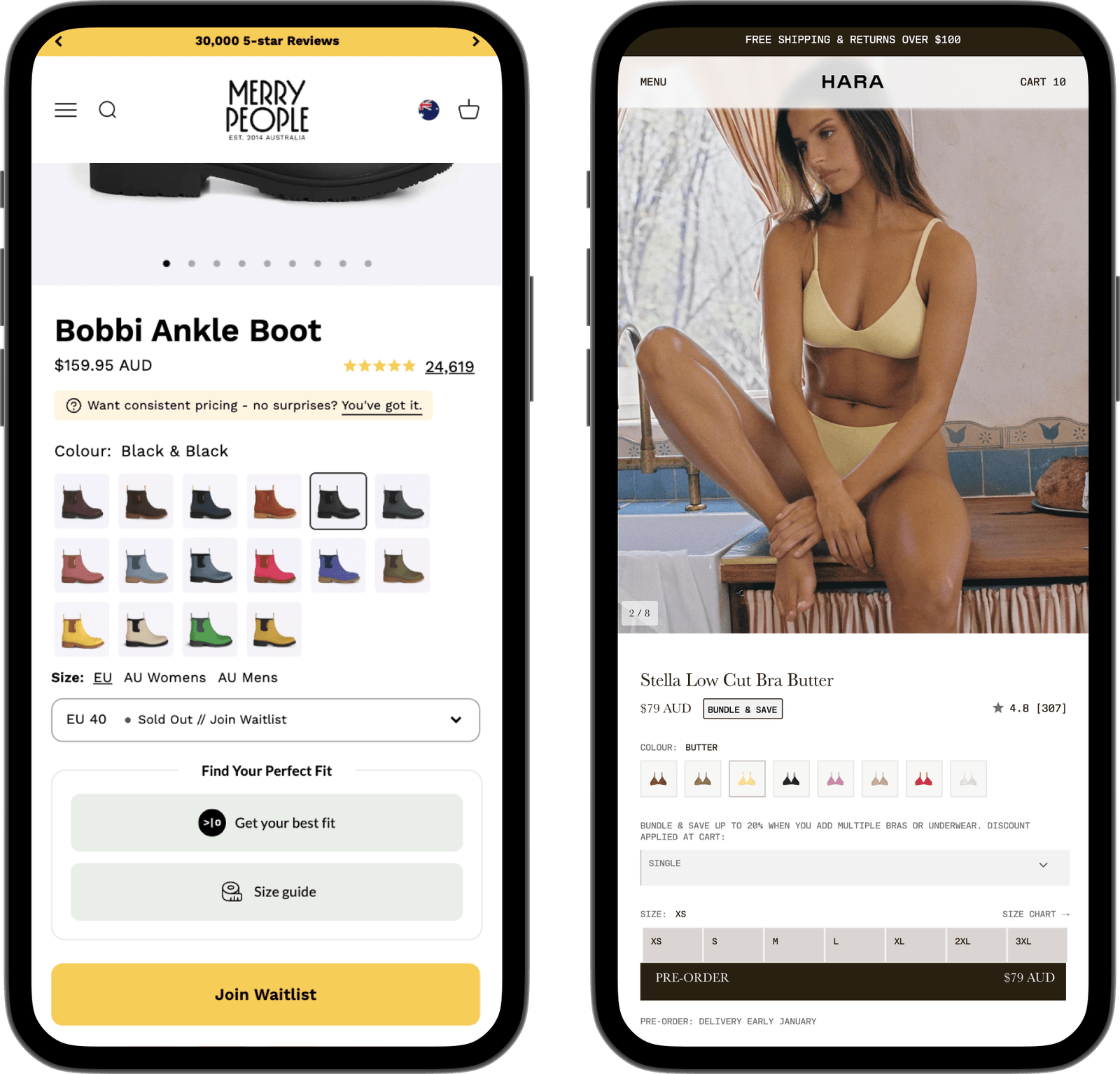
* Pre-order Sell stock before it arrives. When a variant runs out, **Add to cart** flips to **Pre-order** with a ship-date message. Oversell limits cap how far inventory goes negative, so you stay in control.
* Notify Me Capture demand on sold-out variants. Sign-ups flow to Klaviyo, and shoppers come back by email or SMS the moment stock returns.
You control the visuals, messaging and behaviour to a granular level - per product, template, market or locale.
## How it works
### Notify Me
Customers sign up to a sold-out variant. Stock returns, the form switches off, and Klaviyo emails the customers.
```mermaid theme={null}
%%{init: {'themeVariables': {'fontSize': '13px'}}}%%
flowchart LR
A([Out of stock,
## What Bloom does
* Pre-order Sell stock before it arrives. When a variant runs out, **Add to cart** flips to **Pre-order** with a ship-date message. Oversell limits cap how far inventory goes negative, so you stay in control.
* Notify Me Capture demand on sold-out variants. Sign-ups flow to Klaviyo, and shoppers come back by email or SMS the moment stock returns.
You control the visuals, messaging and behaviour to a granular level - per product, template, market or locale.
## How it works
### Notify Me
Customers sign up to a sold-out variant. Stock returns, the form switches off, and Klaviyo emails the customers.
```mermaid theme={null}
%%{init: {'themeVariables': {'fontSize': '13px'}}}%%
flowchart LR
A([Out of stock,
form shows]) --> B([Shopper
signs up]) --> C([Back in stock,
form hidden]) --> D([Emails
send]) --> E([Sales
flow])
classDef nm fill:#FFF7ED,stroke:#FB923C,stroke-width:1.5px,color:#7C2D12;
class A,B,C,D,E nm;
```
### Pre-order
Enable pre-order and set the maximum you can pre-sell. When the variant is out of stock, customers buy on pre-order until it hits your maximum. When stock goes above zero, pre-order switches off.
```mermaid theme={null}
%%{init: {'themeVariables': {'fontSize': '13px'}}}%%
flowchart LR
A([Enable pre-order
& max units]) --> B([Out of stock,
pre-order shows]) --> C([Buy pre-order,
stock negative]) --> D([Hit maximum,
pre-order closes]) --> E([Stock back,
sells normal])
classDef po fill:#ECFDF5,stroke:#34D399,stroke-width:1.5px,color:#064E3B;
class A,B,C,D,E po;
```
## Quick start guide
The [Quick start guide](/bloom/quick-start) walks you through setup in under 10 minutes
1. [Enable Bloom in your theme](/bloom/quick-start) - one theme embed, no file edits
2. [Style and customise messaging](/bloom/quick-start#2-design-messaging) to match your brand
3. Pre-order [Configure the products you want on Pre-order](/bloom/pre-order/product-config)
4. Notify Me [Connect Klaviyo and set up the back-in-stock flow](/bloom/notify-me/overview)
## Why merchants use it
* **Capture revenue you'd otherwise turn away.** Pre-orders sell through a stock gap; Notify Me recovers shoppers who'd leave a sold-out page.
* **Set expectations clearly.** Ship-date messaging on the product page, cart, checkout and order status page means fewer "where's my order?" tickets.
* **Stay in control of oversell.** Per-variant limits stop pre-orders running past what you can fulfil.
* **No developer needed.** One theme embed turns it on; everything else is configured inside Bloom.
* **Works with your stack.** Sign-ups sync to Klaviyo flows; pre-order and Notify Me events fire to your analytics platforms.
## What it looks like
### Pre-order
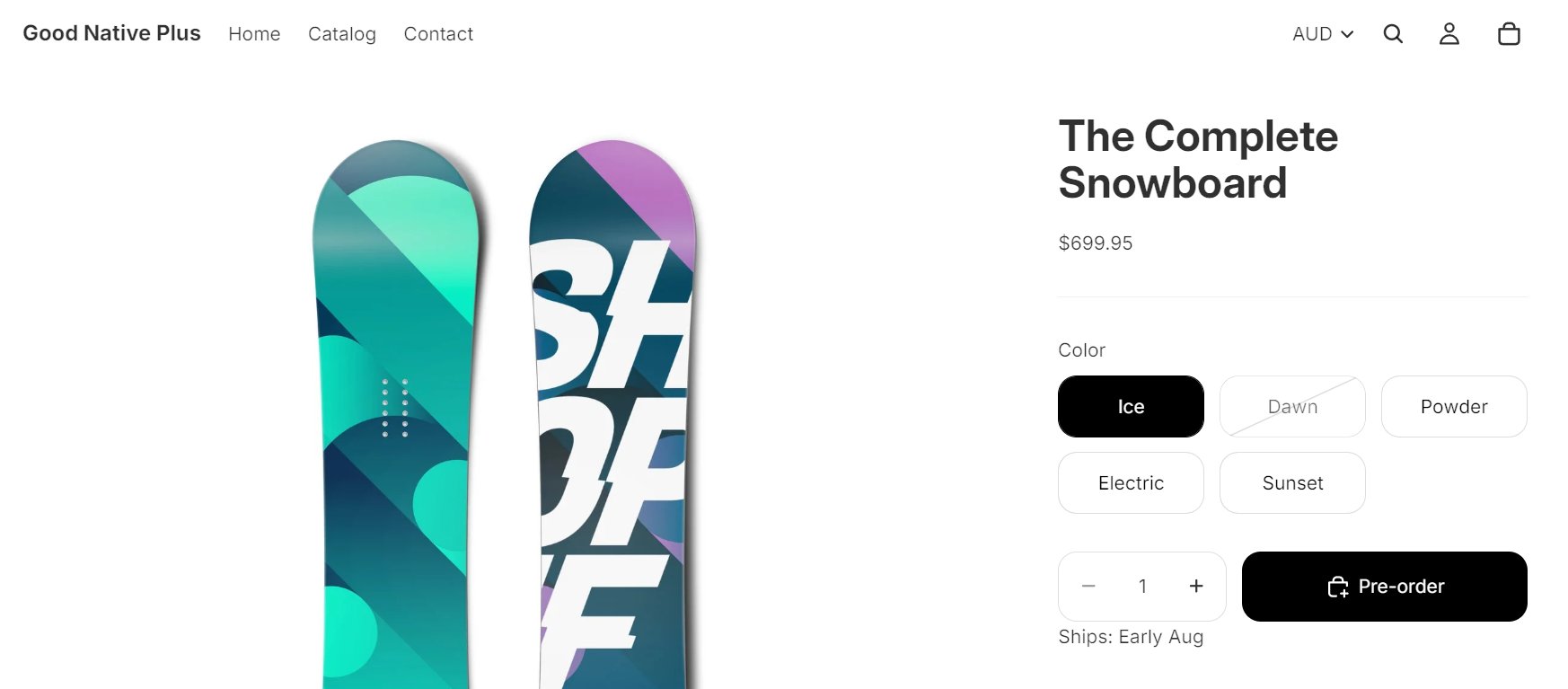
Pre-order option and delivery message shows on Product, Cart, Checkout, Thankyou and Order Status pages. Update Shopify's order confirmation for full clarity and enable customers to cancel and see changes to estimated shipping timing. Every order is tagged `Pre-order` for easy filtering and reporting.
 ### Notify Me
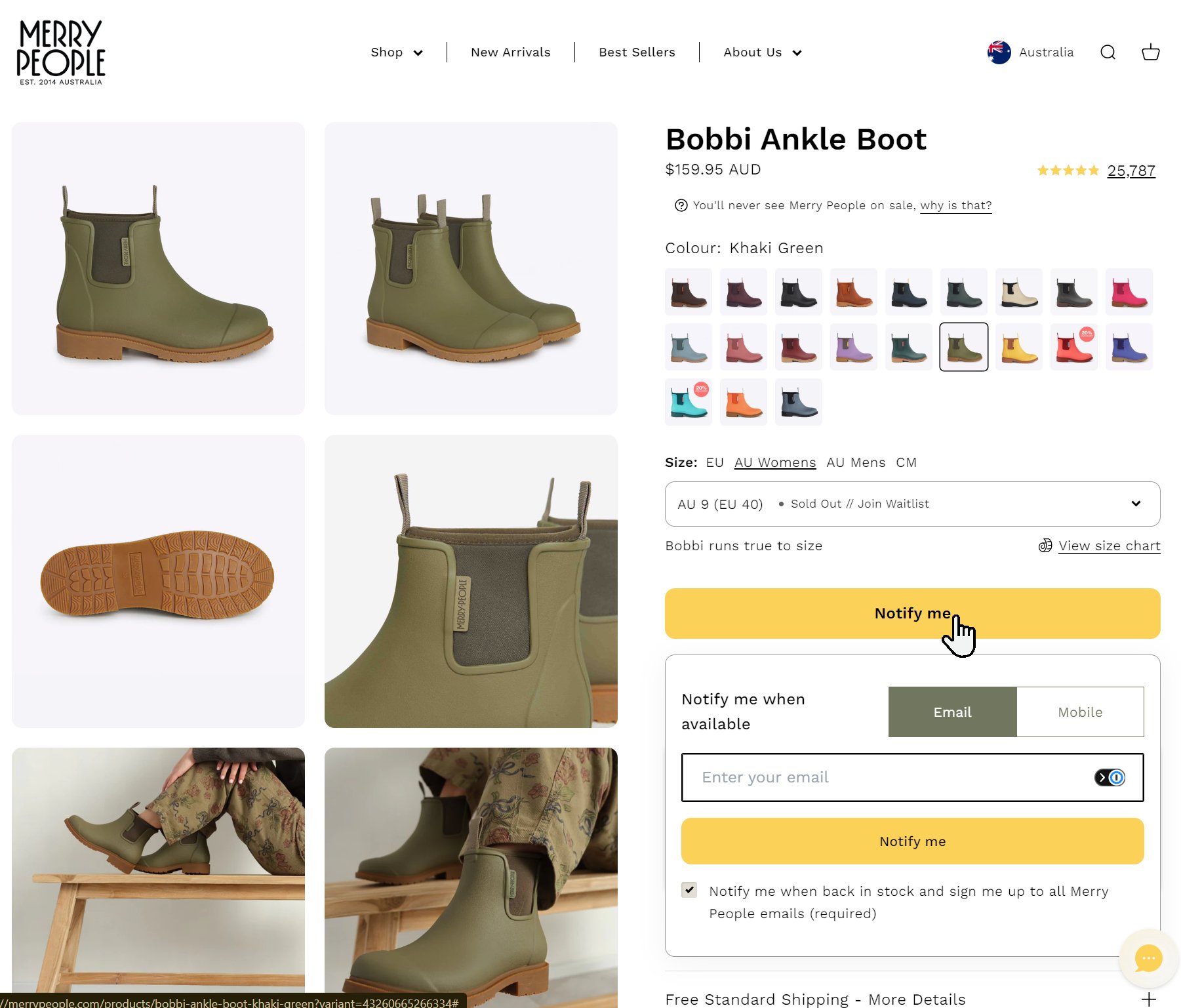
Sign-up on any sold-out variant - each sign-up lands in your Klaviyo list, ready for a back-in-stock flow on SMS or email - giving you full control of branding, timing & logic.
### Notify Me
Sign-up on any sold-out variant - each sign-up lands in your Klaviyo list, ready for a back-in-stock flow on SMS or email - giving you full control of branding, timing & logic.
 ### Results
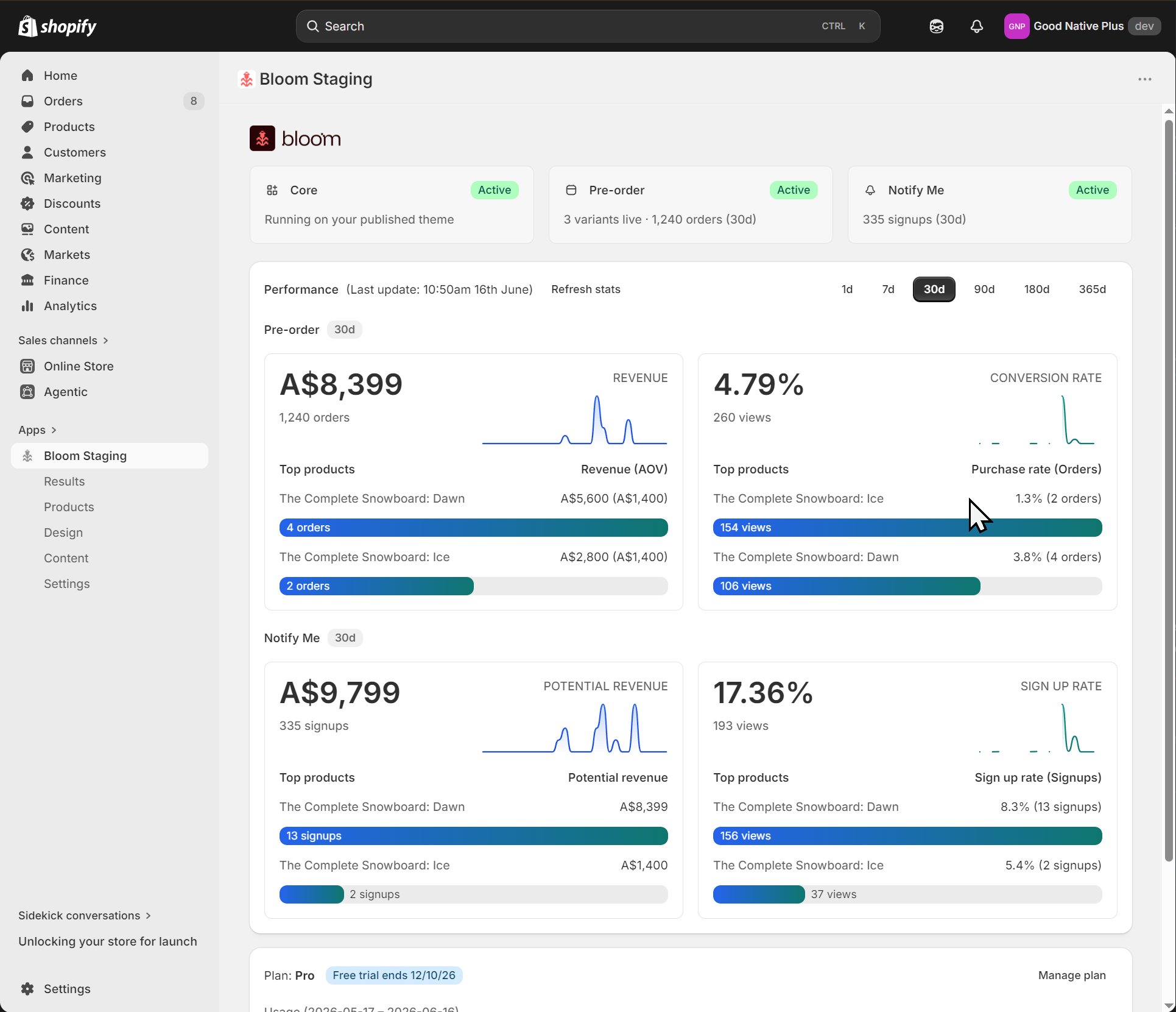
Measure the impact, identified missed revenue with detailed engagement, revenue & conversion stats.
### Results
Measure the impact, identified missed revenue with detailed engagement, revenue & conversion stats.
 ## Related
* [Pre-order overview](/bloom/pre-order/overview)
* [Notify Me overview](/bloom/notify-me/overview)
* [Results](/bloom/results)
* [Plans and billing](/bloom/plans-and-billing)
## Related
* [Pre-order overview](/bloom/pre-order/overview)
* [Notify Me overview](/bloom/notify-me/overview)
* [Results](/bloom/results)
* [Plans and billing](/bloom/plans-and-billing)