> ## Documentation Index
> Fetch the complete documentation index at: https://help.goodnative.co/llms.txt
> Use this file to discover all available pages before exploring further.
# Notify Me settings
> Set store-wide Notify Me behaviour in Bloom on Shopify - display mode, hiding Notify Me on pre-order variants, contact methods, and marketing opt-in - applied to every product unless overridden per variant.
Store-wide Notify Me behaviour lives at **Apps → Bloom → Settings → Notify me**. These apply to every product unless a per-variant override is set - see [Configure a Notify Me product](/bloom/notify-me/product-config).
## Display mode
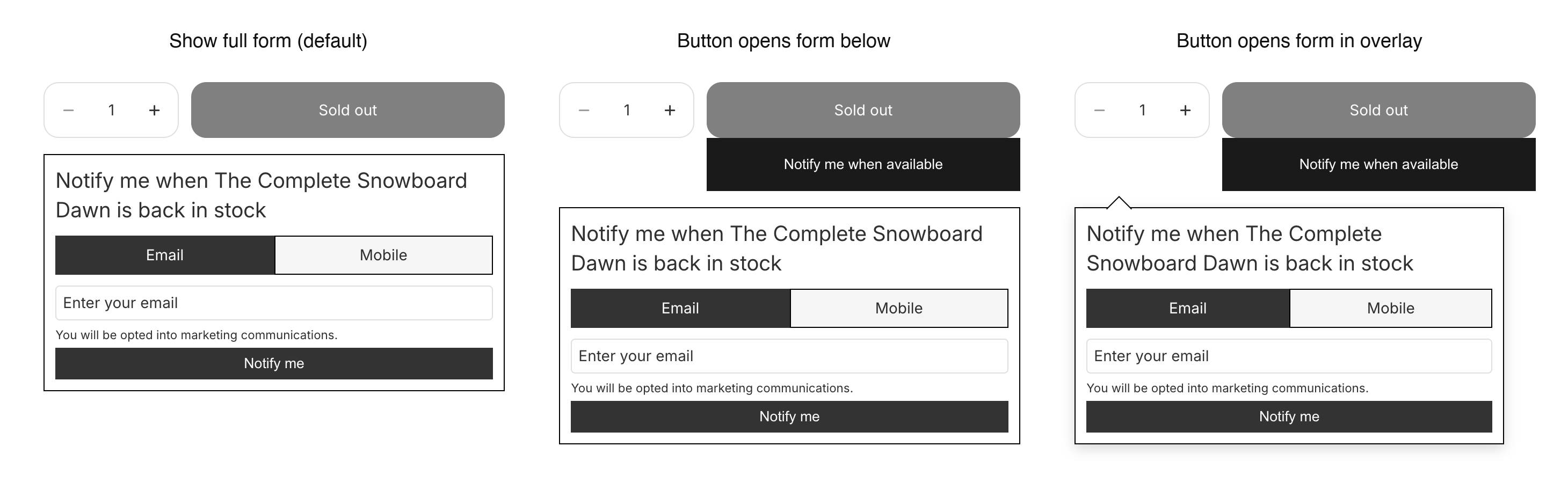
How the form appears on sold-out variants:
* *Show full form (no button)* - form is open by default, no button. Default.
* *Button open form below* - click reveals the form inline.
* *Button open form in overlay* - click reveals the form as a popover.
 ## Hide notify me if product on pre-order
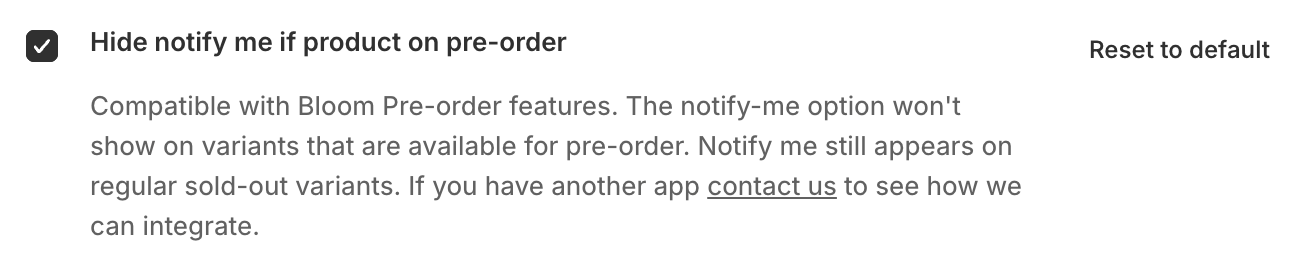
Off by default, so a pre-order variant shows both Pre-order and Notify Me. Turn it on to show pre-order only on those variants. Regular sold-out variants still show Notify Me.
## Hide notify me if product on pre-order
Off by default, so a pre-order variant shows both Pre-order and Notify Me. Turn it on to show pre-order only on those variants. Regular sold-out variants still show Notify Me.
 ## Contact methods
What the form offers shoppers:
* *Email & SMS* (default), *Email only*, or *Mobile only*. When set to a single method, the email/mobile toggle is hidden.
## Opt-in mode
How the marketing opt-in is presented:
* *Show message (auto opt-in, no checkbox)* - default.
* *Show checkbox (must be ticked to submit)*.
Default button label and form heading copy are set on the **Content** page at **Apps → Bloom → Content → Notify me**. Override them per variant on [Configure a Notify Me product](/bloom/notify-me/product-config).
## Related
* [Configure a Notify Me product](/bloom/notify-me/product-config)
* [Disable Notify Me on a product](/bloom/notify-me/disable)
* [Notify Me overview](/bloom/notify-me/overview)
## Contact methods
What the form offers shoppers:
* *Email & SMS* (default), *Email only*, or *Mobile only*. When set to a single method, the email/mobile toggle is hidden.
## Opt-in mode
How the marketing opt-in is presented:
* *Show message (auto opt-in, no checkbox)* - default.
* *Show checkbox (must be ticked to submit)*.
Default button label and form heading copy are set on the **Content** page at **Apps → Bloom → Content → Notify me**. Override them per variant on [Configure a Notify Me product](/bloom/notify-me/product-config).
## Related
* [Configure a Notify Me product](/bloom/notify-me/product-config)
* [Disable Notify Me on a product](/bloom/notify-me/disable)
* [Notify Me overview](/bloom/notify-me/overview)